
Try Takeoff Boost in your browser Upload a plan and see AI-powered takeoff results in seconds.
AI-Powered Takeoff and Estimating Tools for Painting and Coatings Contractors
Don’t gloss over fine details with rough, manual estimating.

Products for Every Step of Your Workflow
From AI-powered takeoffs to final bid, our suite covers every step of the painting estimating process. On-Screen Takeoff with Takeoff Boost automates your first-pass quantities, Quick Bid turns those numbers into accurate pricing, and Digital Production Control keeps your jobs on track once the work begins.

On-Screen Takeoff®
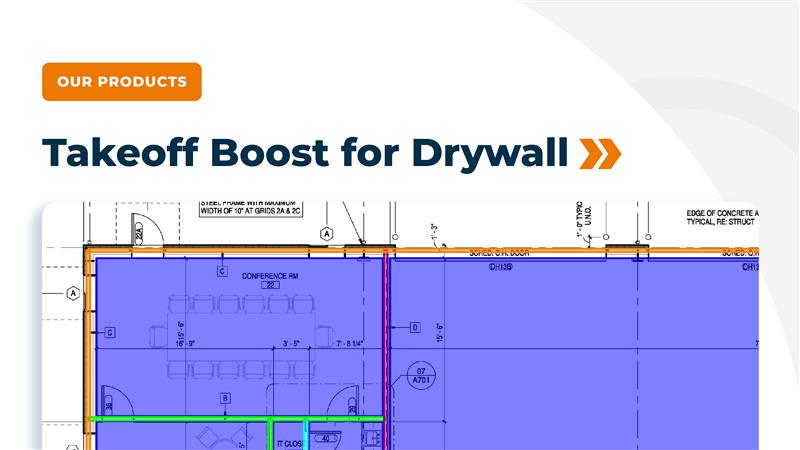
- Takeoff both sides of interior walls in one pass, with AI automatically recognizing wall lines and creating separate wall surfaces so you can apply different heights and finishes to each side.
- Calculate painting and coating surface area for walls, ceilings, trim, and molding, including subtracting doors and windows so your gallon counts stay accurate.
- Count and measure interior vs exterior doors, frames, windows, and fixtures so masking, trim, and detail work are fully included in your scope.
- Build reusable Conditions and libraries for common paints and finishes so your team can start new painting bids quickly and keep documentation consistent.
- Read Wall Finishes Tags from your Finishes Plan, with designations automatically assigned to wall Conditions so the room-by-room manual setup is done before you open the draft.

Quick Bid®
- Assemble painting estimates quickly using quantities from On-Screen Takeoff and generate paint quantities in gallons, including number of coats and labor time and rates for each area.
- Manage burden, overhead, and profit in one place so you can see how walls, ceilings, trim, and specialty coatings contribute to your final bid price.
- Keep material pricing current, making it easier to update bids when suppliers change paint or coating costs.

Digital Production Control®
- Give your crews a daily plan of which floors and walls get which colors and layers, based on the estimate you built in Quick Bid, so field teams always know what is next.
- Track labor efficiency and percentage complete for each area so you can see immediately when production falls behind expectations and make adjustments before the schedule or budget slips.
- Narrow the gap between how many walls or ceilings you think your crews can paint in a day and what they can actually complete in the field, improving the accuracy of future painting bids.
How Painting and Coatings Contractors Are Using AI-Powered Takeoffs to Win Back Hours Every Week
Takeoff Boost has unique tools designed for painting and coating contractors, which cuts takeoff time by up to 95%. See how AI-powered tools can eliminate time-consuming tasks by automating measurements, so painting professionals can focus on pricing, strategy, and winning more bids.
Net Areas
Automatically segments each room and calculates net area along the inside edge of exterior and interior walls.
Footprint Areas
Detects and measures building footprint along the outside edge of exterior walls.
Ceiling Areas
Finds ceiling areas and splits them into gypsum board (GWB) and acoustical ceiling tile (ACT) or by ceiling type when specified.
Wall Linear Footage
Calculates total wall linear footage for standard walls on architectural floorplans.
Walls by Type
Breaks wall linears out by partition type when those types are labeled on the plan (e.g., different stud/gypsum assemblies).
Wall Surface Area
Generates painting linears for both sides of interior walls, giving painters a fast baseline for surface area quantities.
Existing Wall Detection
Identifies existing walls so you can exclude them from new work and avoid over-counting when bidding remodels, build-outs, or partial renovations.
Windows and Window Types
Finds windows and can classify them by window type based on plan tags and symbols.
Doors and Double Doors
Detects and counts doors and double doors, including location on the plan.
Plumbing and Building Fixtures
Counts toilets, sinks, bathtubs, and other fixtures so trade contractors can skip manual symbol counting.
Right-Click Reassignment
Quickly reassign results to your own Conditions with a right click, so quantities flow into the naming, phasing, and assemblies you already use. Learn more.
Delete Results
Delete unneeded takeoff results without losing the Conditions themselves, keeping your structure clean while you refine results. Learn more.
Edit & Move Conditions
Rename, recolor, move, and group Conditions so results fit your naming and organization standards. Learn more.
Want to see how Takeoff Boost works on your own plans?

AI is Changing How Estimators Work. Are You Keeping Up?
Frequently Asked Questions
Painting estimating software helps contractors measure quantities and build bids directly from digital plans instead of using paper, sticky notes, and handheld calculators. On-Screen Takeoff calculates the surface area of walls, ceilings, and trim while subtracting doors and windows, and Quick Bid and Digital Production Control turn those quantities into detailed estimates and production plans for painting and coatings work.
On-Screen Takeoff with Takeoff Boost automates the measurement of walls, ceilings, doors, and trims, including both sides of interior walls, to dramatically speed up and improve the accuracy of painting takeoffs. Estimators then review and finetune those results.
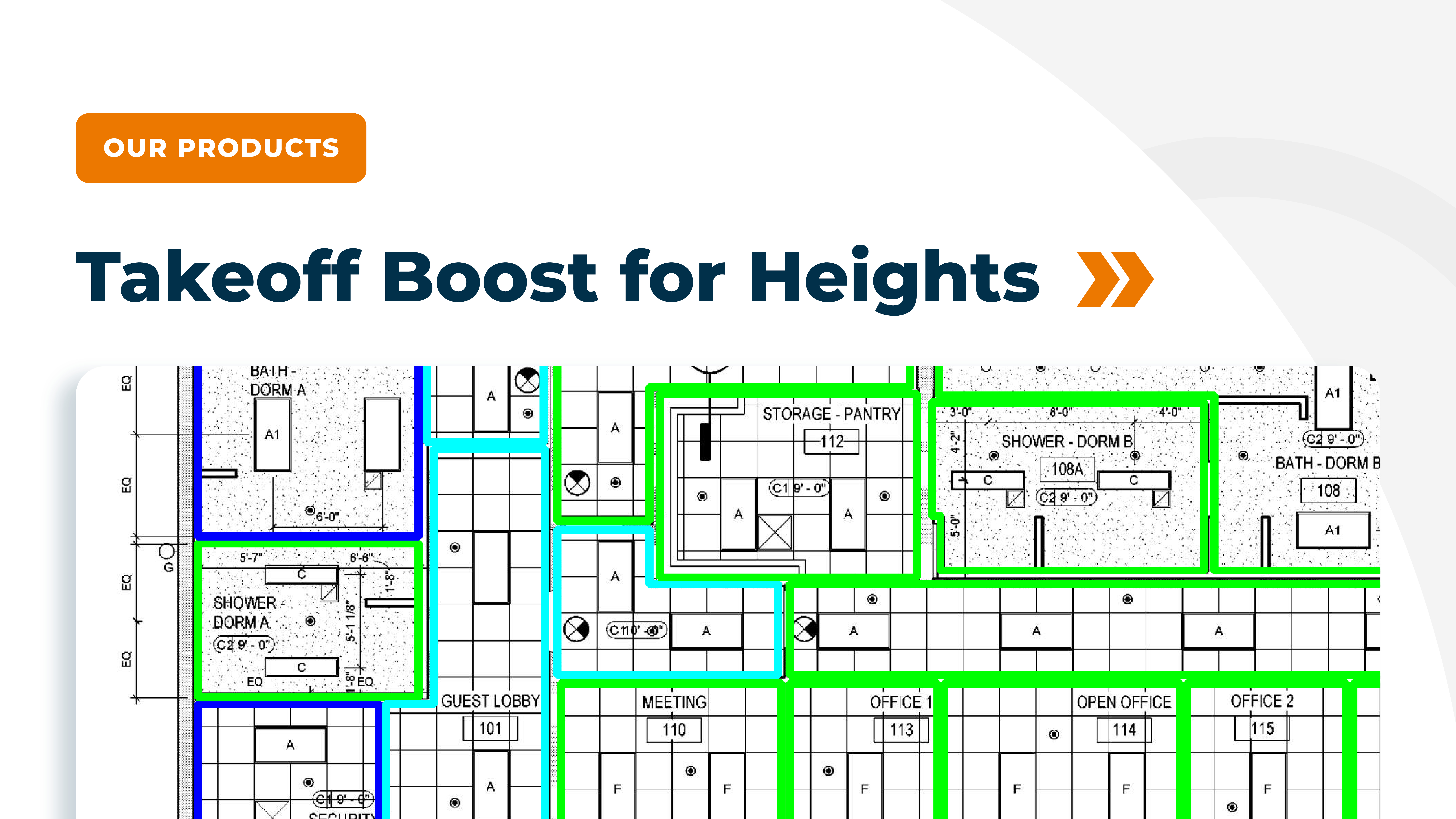
Yes. Takeoff Boost reads height callouts from RCPs, supports different heights on each side of a wall, and lets you flag existing partitions so you don’t overbid renovation scope. Net area detection handles irregular rooms, alcoves, and corridors without forcing you to redraw every shape.
No. Takeoff Boost is an assistant, not a replacement. It handles the repetitive measuring and counting. Your estimators review results, correct edge cases, set heights and finishes, and make final pricing calls. That balance is what lets you bid more work without burning out your team.