In short:
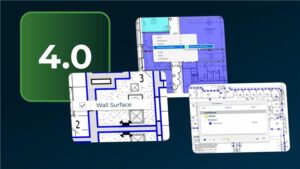
- AI-powered Takeoff Boost in On-Screen Takeoff® automates the measurement of walls, ceilings, doors, and trims—including both sides of interior walls—to dramatically speed up and improve the accuracy of painting project takeoffs.
- Advanced plan recognition, bulk editing, and easy customization features reduce manual work, minimize errors, and cut time spent on takeoffs by up to 95% for painting contractors.
- Automating takeoffs with AI enables painting contractors to submit more bids, win more projects, and confidently estimate even complex or irregular spaces for a strong competitive edge.
For painting contractors, success is measured in more than just a perfect finish. It’s measured in the number of bids you can submit, the accuracy of your estimates, and the profitability of each project you take on.
The preconstruction phase is crucial, and an accurate takeoff can be the difference between a profitable job and a costly mistake. To keep up with the competition, painting contractors are turning to digital tools to speed up the takeoff process without compromising accuracy.
On-Screen Takeoff® has long been the solution for digitizing the takeoff process. But now, with its AI-powered feature Takeoff Boost™, we’ve supercharged it specifically for your trade. Let’s explore how Takeoff Boost is uniquely designed to help painting contractors work faster, save time, and win more projects.
Why Use AI for Your Painting Takeoff?
Traditional takeoffs are time-consuming and prone to human error. A single missed room or an inaccurate measurement can set your business back.
On-Screen Takeoff with Takeoff Boost modernizes this workflow. By leveraging AI, painting contractors can:
- Automate measurements. Instantly recognize and measure walls, ceilings, and trims.
- Increase bid volume. Reduce takeoff time by 95%, allowing for more bid submissions.
- Improve accuracy. Eliminate calculation errors due to manual data entry and human oversight.
How Takeoff Boost Works for Painting Contractors
One of the most powerful features of Takeoff Boost is its ability to review plans specifically for your trade. Painting contractors can trust Takeoff Boost to perform an initial takeoff draft just like they would, so they have more time to review, fine-tune, and double-check for accuracy.
Single-Sided Wall Recognition
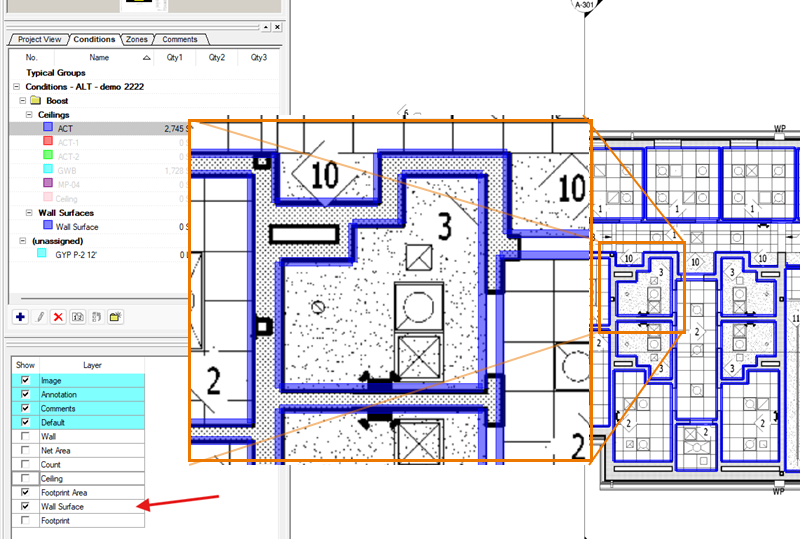
Standard takeoff tools might only measure the length of a wall. Takeoff Boost is designed specifically for painting contractors. It recognizes wall lines on a plan and automatically performs a takeoff on both sides of the interior wall. This single feature eliminates a tedious, repetitive step in your workflow. No more manually doubling your measurements or tracing lines twice; Takeoff Boost does it for you and cuts your takeoff time from hours to minutes.
Leveraging the Right Plan for the Job
Accuracy in painting takeoffs often comes down to wall height. Takeoff Boost lets you work smarter by using the best plan for the job. While floor plans are standard, Reflected Ceiling Plans (RCP) are often more effective for painting takeoffs.
- Capture height data. RCPs provide height information (e.g., 8-foot vs. open-to-structure ceilings) essential for calculating accurate wall square footage.

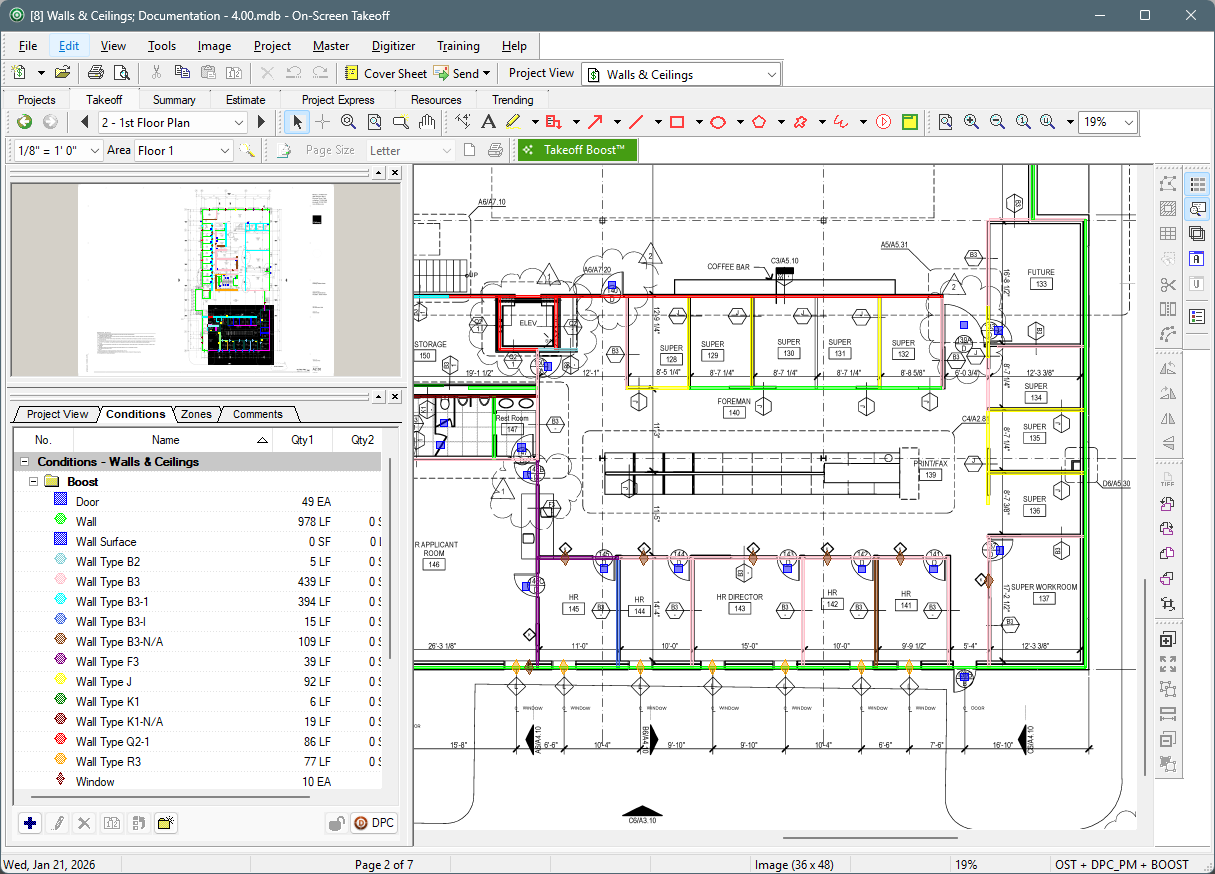
- Capture doors and trims. Switch to the floor plan layout to quickly measure interior and exterior doors and window trim. You can also adjust settings to account for painting specific elements, such as painting only one side of an exterior door versus both sides of an interior door.
Managing and Modifying Conditions
Takeoff Boost provides the initial takeoff measurements, but the estimator provides expertise. Once Takeoff Boost measures a plan, you can:
- Categorize by height. Duplicate different wall surface conditions and assign them to specific, varying heights.
- Reassign in bulk. Instead of manually reassigning each line drawing, you can select groups of walls and right-click to reassign them to the correct height condition instantly.
- Apply styles. Update conditions to match your company’s standard naming conventions and colors for consistent documentation.
- Review returned results. Easily modify results from Takeoff Boost to ensure complete accuracy.
Take Your Painting Business to the Next Level
By automating the most time-consuming parts of the takeoff process, Takeoff Boost in On-Screen Takeoff allows you to move quickly to pricing and bidding with confidence. With AI-powered speed and accuracy, painting contractors can have a competitive edge and start painting before their competitors even submit a bid.
Want to learn more about AI takeoffs for painting contractors?

Attend our FREE live session, Win Bids Before the Paint Dries, specifically designed to show painting contractors how to find the right jobs using ConstructConnect® Project Intelligence and create faster takeoffs with Takeoff Boost.
Frequently Asked Questions
Yes! On-Screen Takeoff excels at measuring tricky spaces like alcoves, curved walls, and irregularly shaped rooms. The AI-powered Takeoff Boost feature automatically detects wall types and calculates quantities in seconds, even for complex surfaces like drywall, wood, or metal. This ensures accurate measurements and saves you valuable time.
Absolutely. On-Screen Takeoff allows you to easily markup plans with different colors or finishes to match your project requirements. If a client changes their mind, you can quickly update the markups without having to start over. The platform also simplifies managing Change Orders and Alternates, and you can add a legend to clearly explain the colors or finishes used.
Yes, On-Screen Takeoff ensures nothing gets missed by allowing you to measure paint requirements for both sides of a wall. This feature is especially useful for interior painting projects where precision is key.
Definitely. On-Screen Takeoff lets you save items, known as Conditions, into a reusable library. This means you can store different types of paint, finishes, or materials for future projects, making it faster and easier to start new takeoffs.